| |
Windows Remote Desktop (RDP).
Exercise
On Win7 VM, enable RDP:
1. In the start menue, right click on "Computer":
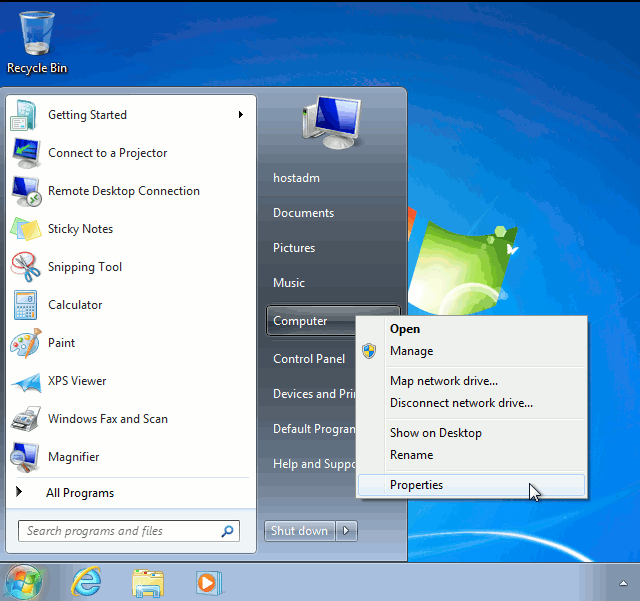 2. In Properties, click onto Remote settings:

On your desktop, install freerdp-x11:
Connect to the Windows RDP as user hostadm:
Accept the SSL certificates. Use password unisys.
To fit nicely within the screen, say 1200x900 pixel size, you can rescale the RDP size as follows:
You can also use the IP address instead of the host name, win7.
Note, if a Windows host is not directly accessible because of a firewall, you can SSH with X-tunneling to the Linux system first, from which the Windows
host is accessible, then run xfreerdp. For example:
|
|