| |
Access Samba shares on Windows.
Exercise
On Win 7 virtual desktop, add an entry for smbhost into
hosts file, similar to that for your desktop in the previous
exercise.
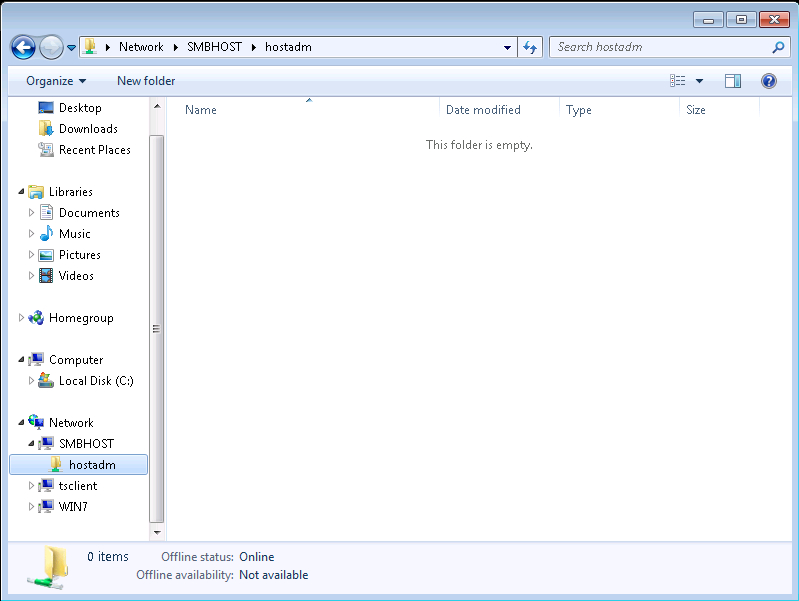
In start menu, click onto "computer". Under "Network" in the left menu panel, click onto "SMBHOST". Folder "hostadm Share" opens up.
Since user hostadm has the same password on both the VMs, smbhost and
win7, you are not promped for user name and password at the attempt
to access the folder.
You should be able to create new folders and files in "hostadm share":
You can map the samba share "homes" as a network drive as follows:
right click on "computer"; slide to map Network Drive; in the folder line,
type
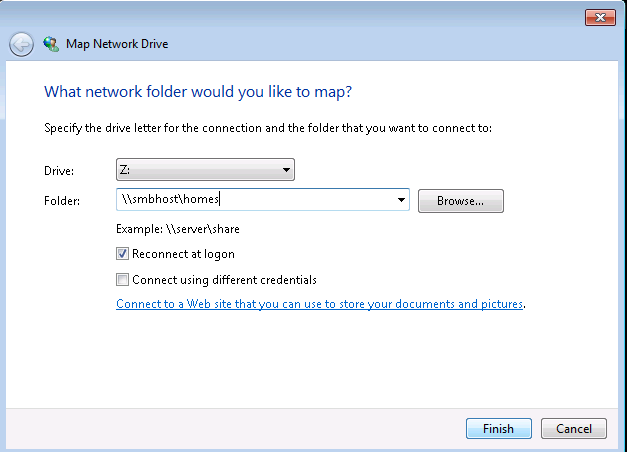
Note, in the procedure above, you need to use either the host name or
the IP address of your samba server.
You can see the accessed shares in the command prompt on Win 7 by running
net use:
To unmap one of the shares run:
|
|