| |
Windows 7 virtual appliance deployment in KVM.
Exercise
At the moment, you should already have the KVM installed
on your desktop. Download the Windows 7 VM and deploy it:
Launch the virt-manager.
Start the VM.
Find out the IP address that has been assigned
to Win7 VM: on your desktop, run command
Add the IP address of win7, into /etc/hosts
on your desktop for the host name resolution, as below for example. If the
correct IP address entry is already present in file /etc/hosts, skip
this step.
We'll be accessing the desktop from Win7 over the private virtual network.
The links below demonstrates how to add the IP address of virbr0 of your desktop,
192.168.122.1, to the windows host file:
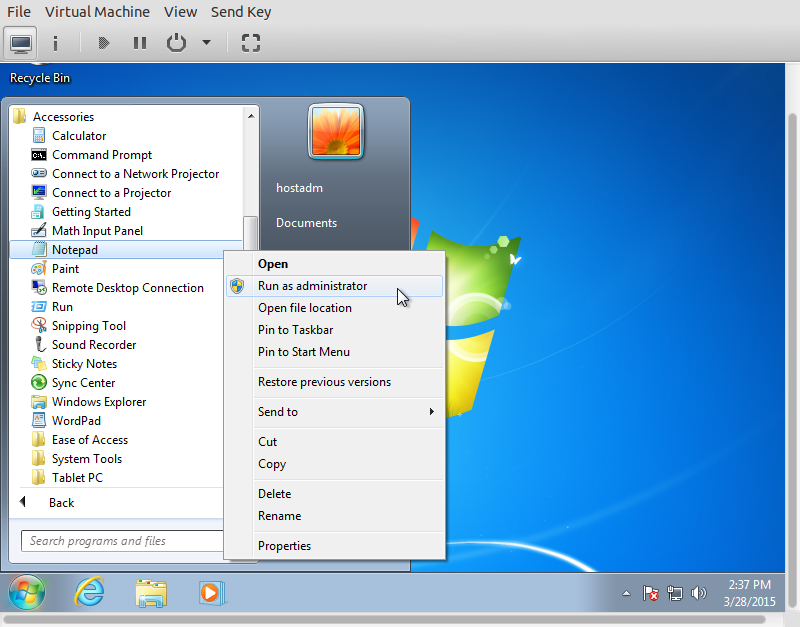
Launch Notepad as Administrator,
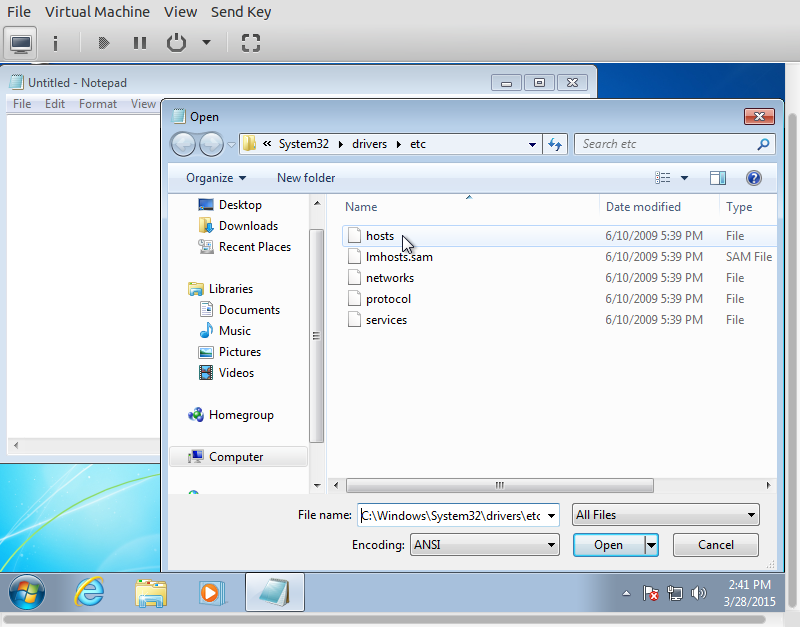
navigate to C:\WINDOWS\system32\drivers\etc,
and open file hosts,
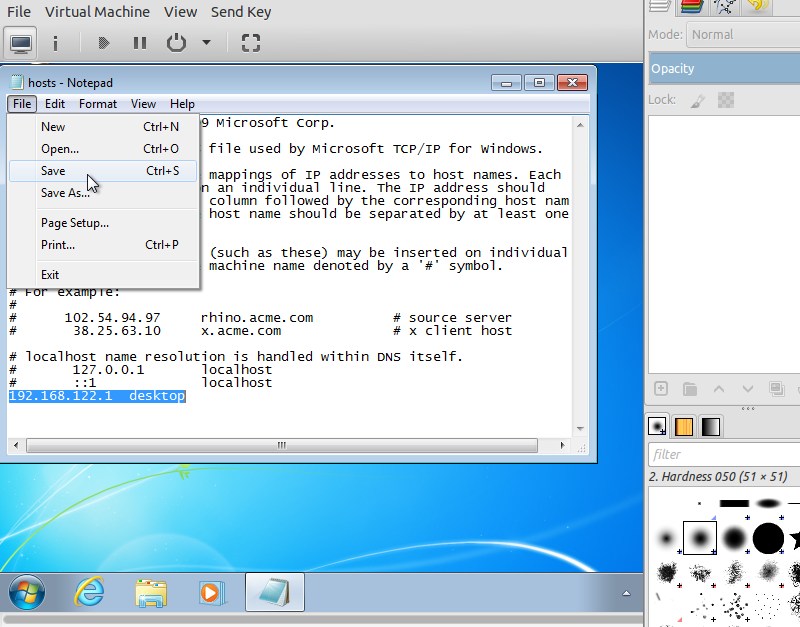
add the following line in end of the file.
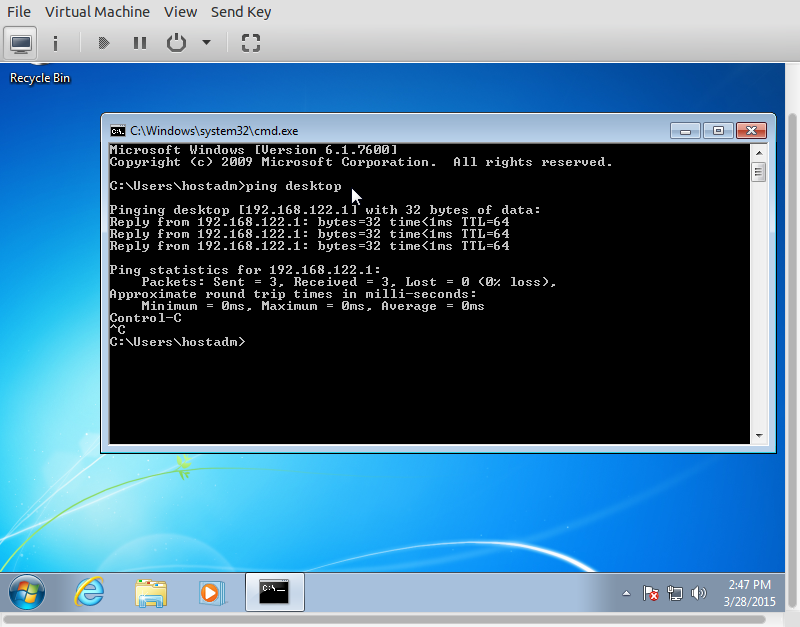
Try pinging the desktop by the host name from the command line, cmd:
|
|