| |
Ubuntu Interactive Installation (Exercise)
Click onto kvm1 in the KVM manager.
It will bring up a virtual console for the VM with the installer running.
After accepting 'English Language', press F4, which stands for "Modes" in the installer bottom menu line, and scroll down to "Install a minimal virtual machine" selection, press ENTER:
1.
 2.
2.
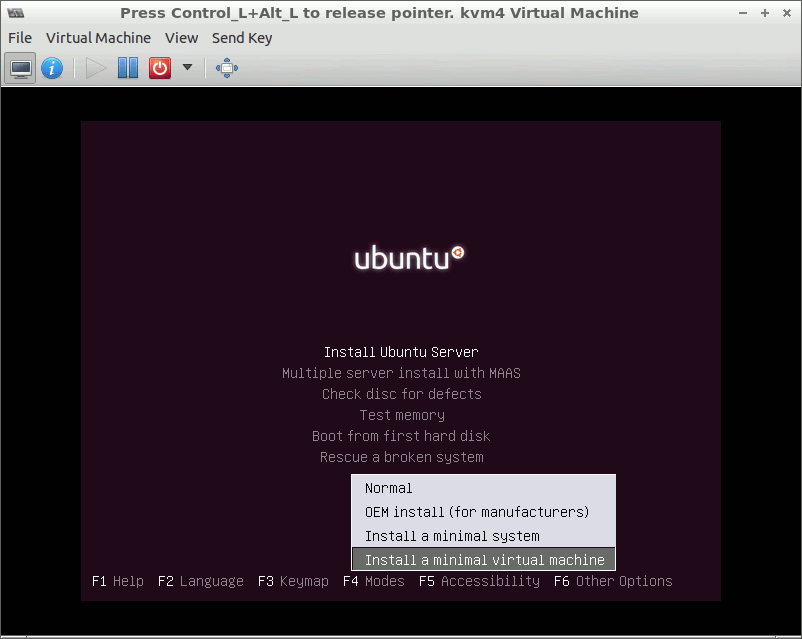
Choose "Install Ubuntu Server", and press ENTER.
Choose language: English,
United States.
Choose 'No' for detecting keyboard layout,
USA for the origin of the keyboard,
USA for keyboard layout.
In 'Configure the network' menu,
set 'kvm1':
1.
 2.
2.
 3.
3.
 4.
4.
 5.
5.
 6.
6.

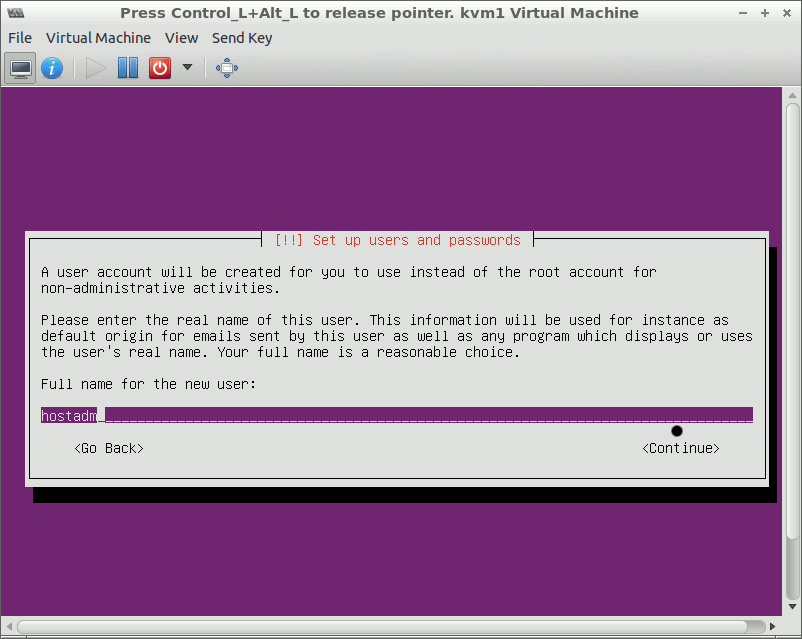
When the installer prompts you, set a new user account,
Accept the "weak password" when prompted.
1.
 2.
2.
 3.
3.

In 'Configure the clock',
choose Eastern in the time zone list.
In the partition disks menu, select 'Guided - use entire disk' partitioning method.
1.
 2.
2.
 3.
3.

Choose no encryption for home directory.
Select "No automatic updates".
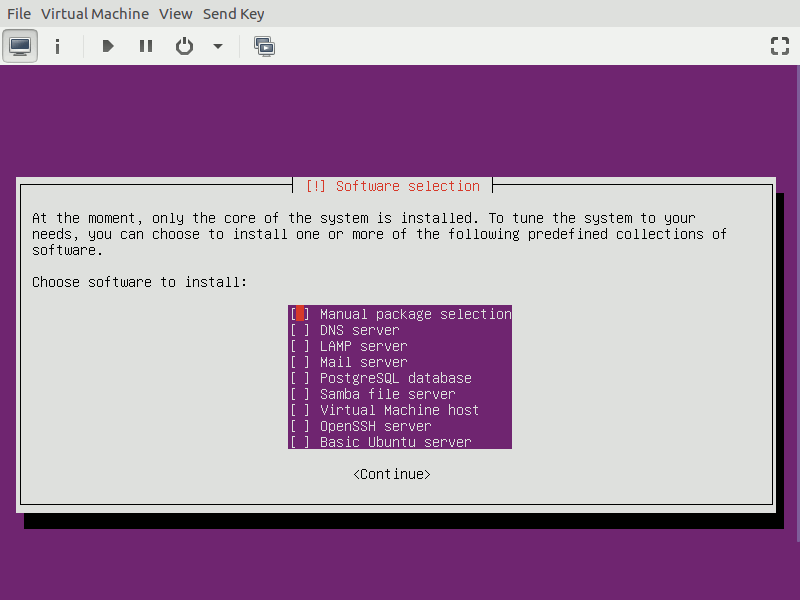
Do not select any additional software to install.
Keep everything in the list unchecked:
When prompted to Install the GRUB boot loader, choose the default
option, "Install the GRUB boot loader to the master boot record" .
Accept setting the system clock to UTC.
Click on 'continue' when the installation completes.
After the system reboots, login as user hostadm
Install SSH server by using apt
Install the latest 4.x Linux kernel available in Ubuntu 18.04 LTS repository:
Edit file /etc/default/grub and increase the GRUB prompt timeout
from 2 to 10:
GRUB_TIMEOUT=10:
Change the value of GRUB_TIMEOUT_STYLE from hidden to
menu
Note: you can use one of the available editors, for example nano or vi. If there is no nano editor, install it first, then edit file
/etc/default/grub:
Run the commands to update the boot loader configuration, then reboot:
You should be able to see the boot loader prompt when the system boots up.
Login to kvm1 and make sure it is running the kernel you just have installed:
It should show Linux kvm1 4.15.0-44-generic...
Uninstall the old kernel:
After you are done with the exercise, shutdown the virtual machine by issuing shutdown in its command prompt:
References
Ubuntu Installation Guide
|
|